
Digital Learning
Digital literacy, digital intelligence, and technological capabilities are increasingly at the forefront of our minds as educators and parents.
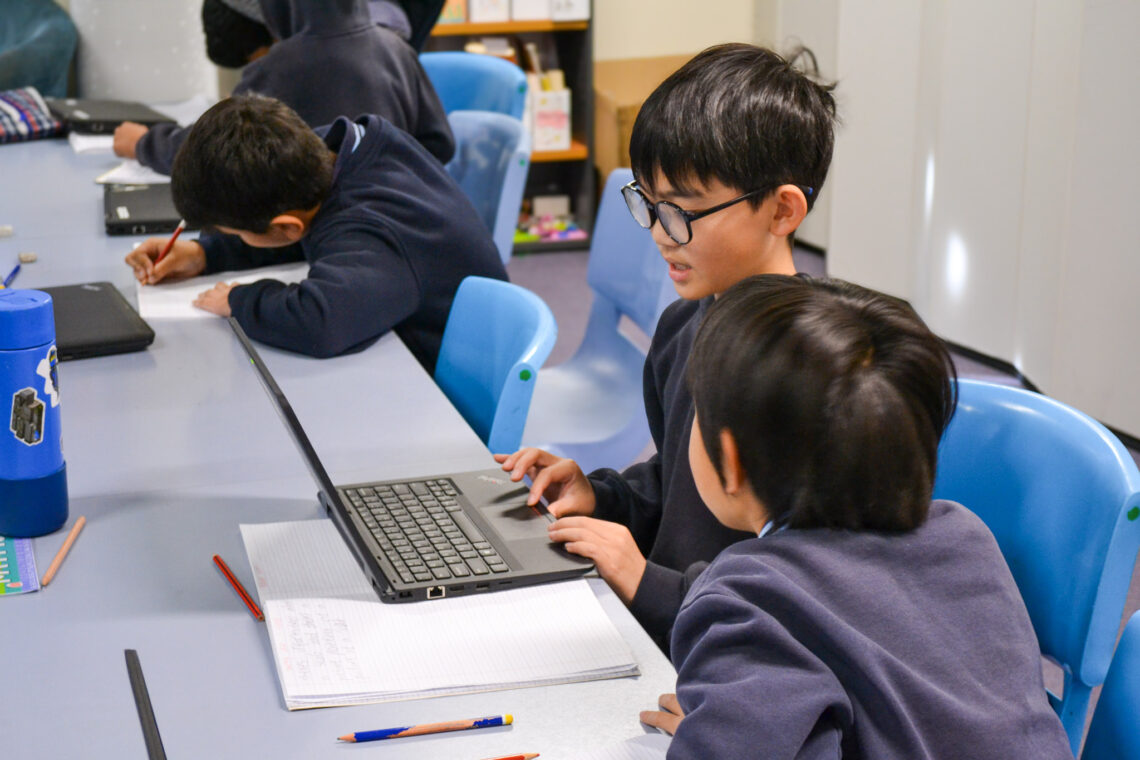
Heathmont East Primary School believes that through the use of digital technologies we equip our students to be digital citizens in a rapidly changing world. We provide opportunities for students to discover, explore, analyse and present information. Students develop the necessary skills to be able to use information in effective and creative ways. Staff and students at HEPS use Digital Technologies as a routine part of classroom activities across the Victorian Curriculum.
The Digital Technologies Curriculum enables students to become confident and creative developers of digital solutions through the application of information systems and specific ways of thinking about problem solving. Students acquire a deep knowledge and understanding of digital systems, data and information and the processes associated with creating digital solutions so they can take up an active role in meeting current and future needs.
Our continuous learning program focuses on the key areas of digital systems, data representation and creation of digital solutions. Thinking skills are fostered through links to real world solutions. This is done both within the classroom environment and specialist programs.
Foundation
- Introduced through discovery learning sessions.
- Collaborative learning
- They are supported through the Grade 6 buddies program and teaching staff.
- Use programs including word, PuppetPals and Creative Book Builder to support their literacy and numeracy skills.
- Learning to build confidence and knowledge in software and hardware use.
- Have opportunities to explore robotics through Bee-bots, Terrapin and Dash robots and drag and drop coding through the use of Scratch Junior.
Level 1 and 2
- Establish a greater understanding of how digital technologies support communication and become confident to engage with a range of programs and apps.
- Explore video, photography, create with Creative Book Builder and PuppetPals to communicate with an audience.
- The robotics program teaches LEGO WeDo, a program that teaches technology through constructing models and bringing them to life with real world connections.
- Students explore animation and user interaction through the use of Scratch Junior.
- Students explore why it isn’t always safe online and who to go to when they feel unsafe.
- From Grade 2, Students regularly engage with explicit touch typing lessons through Dancemat.
Level 3 and 4
- Receive explicit teaching on how to stay safe online and password management.
- The coding and robotics program is diverse and includes Scratch, Lego Spike, Sphero and Edison robots.
- Students are introduced to 3D design through the program Tinkercad and have access to Minecraft to acquire the skills to successfully collaborate online.
- To support speaking listening initiatives throughout the schools students create claymation movies using stop motion (Level 4) and explore green screen and vox pop interviews (Level 3).
- Students learn about e-safety and being responsible digital citizens through regular wellbeing lessons.
- Students explore securing their personal information and how to identify their online healthy habits.
- Students are supported to be independent learners through the use of Google classrooms.
- Students access shared and differentiated tasks and develop responsible digital communication and sharing skills.
- Students regularly engage with explicit touch typing lessons through typingclub.com.
Level 5 and 6
Our Level 6 1:1 BYO (Bring Your Own) Apple iPad (ceasing at the end of 2026) and Level 5 Leased Chromebook program gives each student access to their own digital device both at home and school. The program gives students the ability to be more independent in the learning process, giving them access to thousands of resources and develops skills such as information literacy, collaboration, creativity and innovation, critical thinking, problem solving and digital literacy.
- Students investigate issues of modern communication and cybersafety through a class approach to Google Classroom and computer use.
- Students participate in the ‘Think You Know’ sessions to highlight their responsibilities as digital citizens.
- Explore ways to develop healthy online habits and manage screen time.
- The coding and robotics program teaches Scratch, Hopscotch, Lego Sprike and EV3. Students continue to build on their understanding of 3D design through Tinkercad, forming real world connections to the use of this medium.
- A highlight of Level 5 is a podcasting unit, where students work together to write, create and edit their podcasts.
- Level 6 students create personal school journey videos as part of their end of Primary School experiences, showcasing their memories in digital form.
- Students from across Levels 5 and 6 contribute to a digital newsletter, which features all the wonderful happening across the schools providing connections and sharing across the school.
- Students regularly engage with google classroom to access shared and differentiated learning. Students organise assignments, manage feedback and deadlines.
- Students regularly engage with explicit touch typing lessons through typingclub.com. Students learn to develop accuracy and build speed to support them as digital citizens.
At Heathmont East Primary School students have access to a range of devices and technologies such as:
- Portable Laptop trolley with timetabled classes
- Sets of iPads and laptops across Foundation – Level 4
- 1:1 BYO Chromebook program in Level 5 and 6
- Classroom are equipped with TVs
- Coding and programming resources
- Site licenses for various computer programs
- Google education accounts for all staff and students (4 – 6)
- Video conferencing facilities
Useful links
More information about:
Parent’s guide to online safety:
Online assistance: